Metadata

  • Date :: 11-04-2025
  • Tags :: web-dev

Notes

๐ŸŒ How the Internet Works โ€” Detailed Notes

๐Ÿ” What is the Internet, Really?

  • Common Misconception:

    • Many people think of the Internet as a โ€œcloudโ€ or something abstract floating around in the air.
    • Itโ€™s often considered extremely complex or hard to understand.
  • Reality:

    • At its core, the Internet is just a vast network of wires (and other transmission media) that connect computers all around the world.
    • These โ€œwiresโ€ include ethernet cables, fiber optic cables, and undersea cables that physically link machines together.

โœ… Example:
Your computer in New York can communicate with a server in Japan because they are both connected to this global wire network.

๐Ÿ–ฅ๏ธ Clients and Servers: Two Key Roles

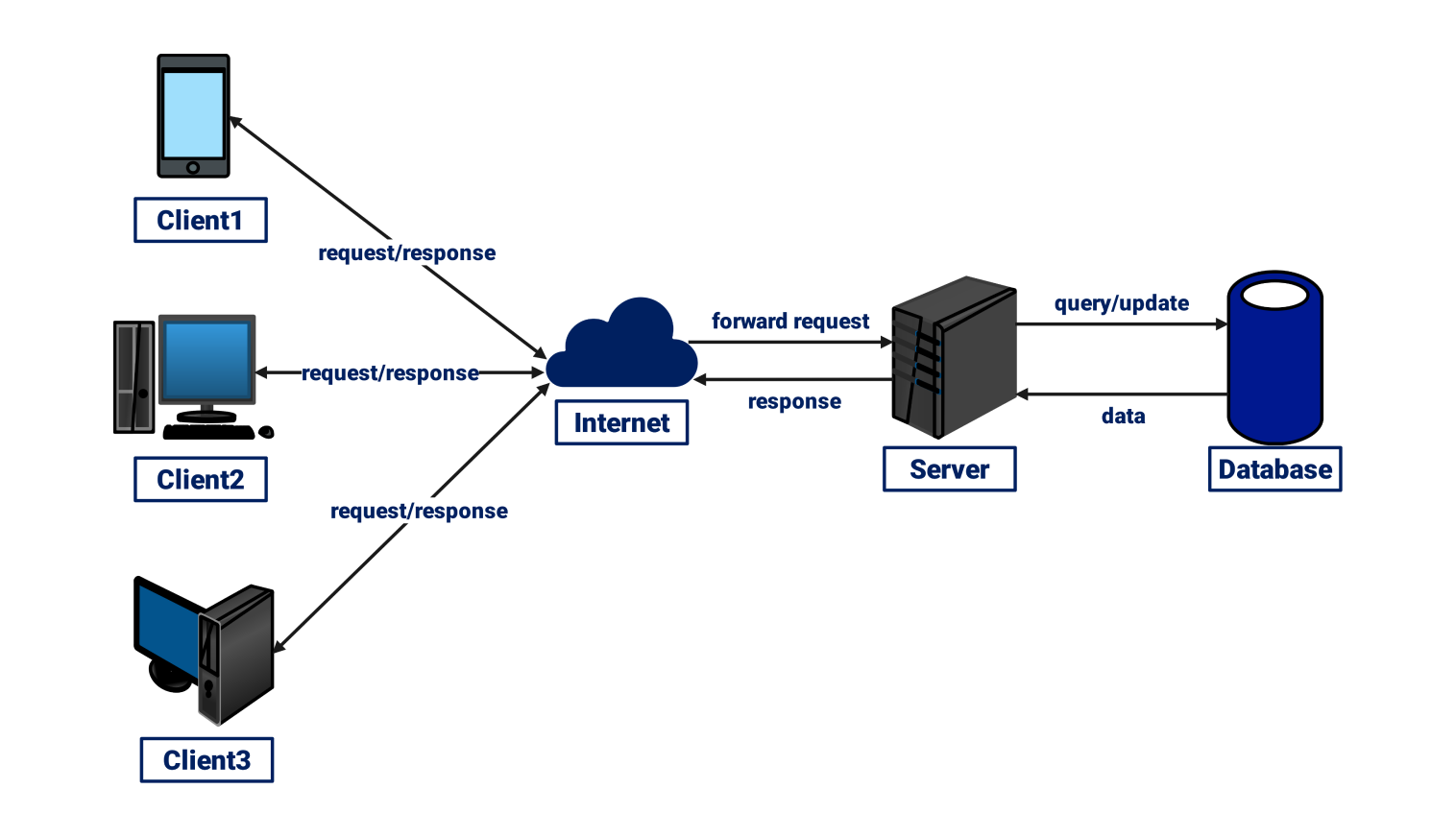
  • Client:

    • Any computer (including your phone or tablet) that requests data from another computer on the Internet.
    • You are a client when you use a browser like Chrome, Firefox, or Safari to visit a website.
  • Server:

    • A computer thatโ€™s always online (24/7) and ready to respond to requests from clients.
    • Servers store and deliver the files, data, and media that make up websites.
    • Theyโ€™re essentially the libraries of the Internet, always open and organized to help clients get what they need.

โœ… Analogy:
Imagine a giant digital library (the server) where visitors (clients) can come in any time and request specific books or documents (web pages, images, videos, etc.).

๐ŸŒ How Do We Access Websites? The Step-by-Step Process

Letโ€™s break down what happens when you type a website like google.com into your browser:

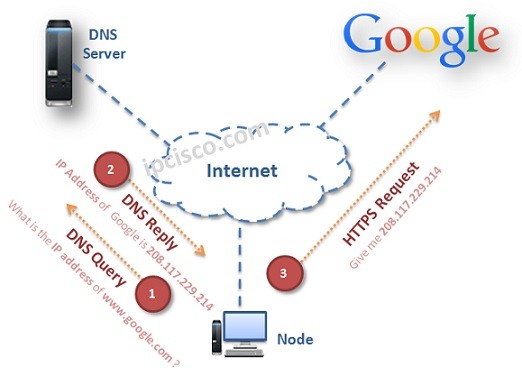
Step 1: ๐Ÿ”ค Entering the Website Address (Domain Name)

  • You type google.com into your browserโ€™s address bar.
  • This domain name is human-friendly, but computers donโ€™t understand it directly.

Step 2: ๐Ÿ“ก Sending a Request to Your ISP

  • Your browser sends a request to your ISP (Internet Service Provider) โ€” the company that provides you Internet access.
    • In the US: AT&T, Comcast
    • In the UK: BT, TalkTalk

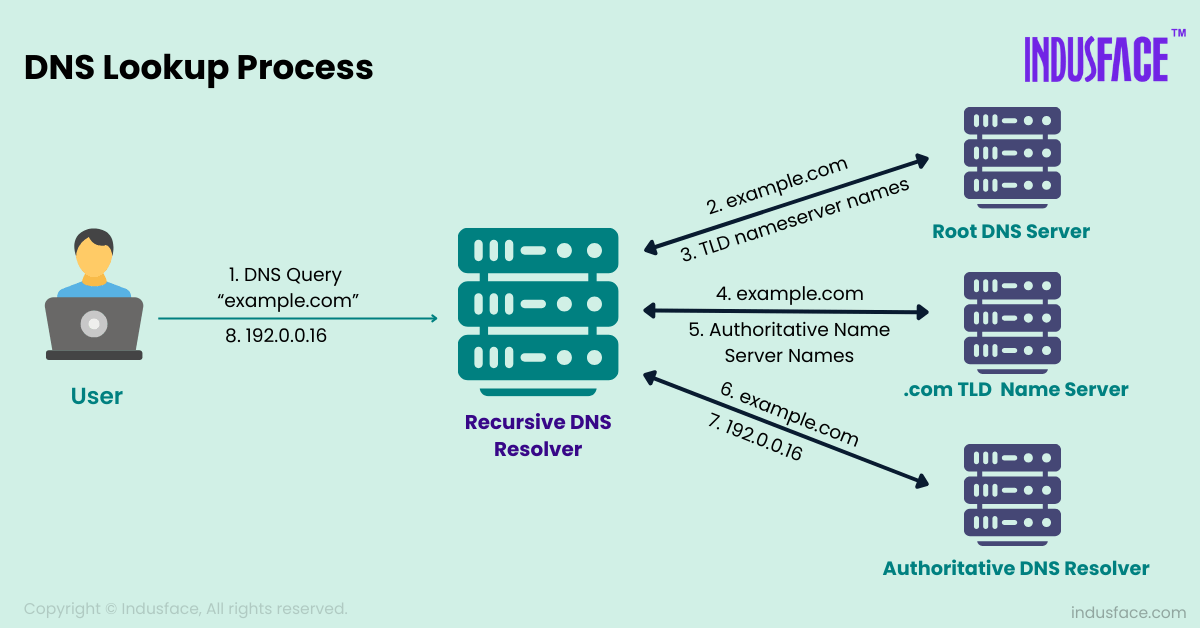
Step 3: ๐Ÿ“– DNS Lookup (Phone Book of the Internet)

  • The ISP forwards the request to a DNS (Domain Name System) server.
  • The DNS server looks up the domain name (e.g., google.com) in its database to find the corresponding IP address.

โœ… Analogy:
Think of DNS as a digital phone book. You know a personโ€™s name (Google), but you need their number (IP address) to call them.

Step 4: ๐Ÿงญ Getting the IP Address

  • Once the DNS server finds the IP address (e.g., 142.250.72.206 for Google), it sends it back to your computer.
  • Now your browser knows exactly where to send the request to get Googleโ€™s homepage.

Step 5: ๐Ÿ“จ Sending a Direct Request to the Server

  • Your browser now sends a request directly to the Google server (using its IP address).
  • The server receives this and responds with the websiteโ€™s content โ€” HTML, CSS, JavaScript files, images, etc.
  • Your browser assembles and displays the page.

๐Ÿ”Ž Try It Yourself:
Go to nslookup.io and type google.com to see the actual IP address.

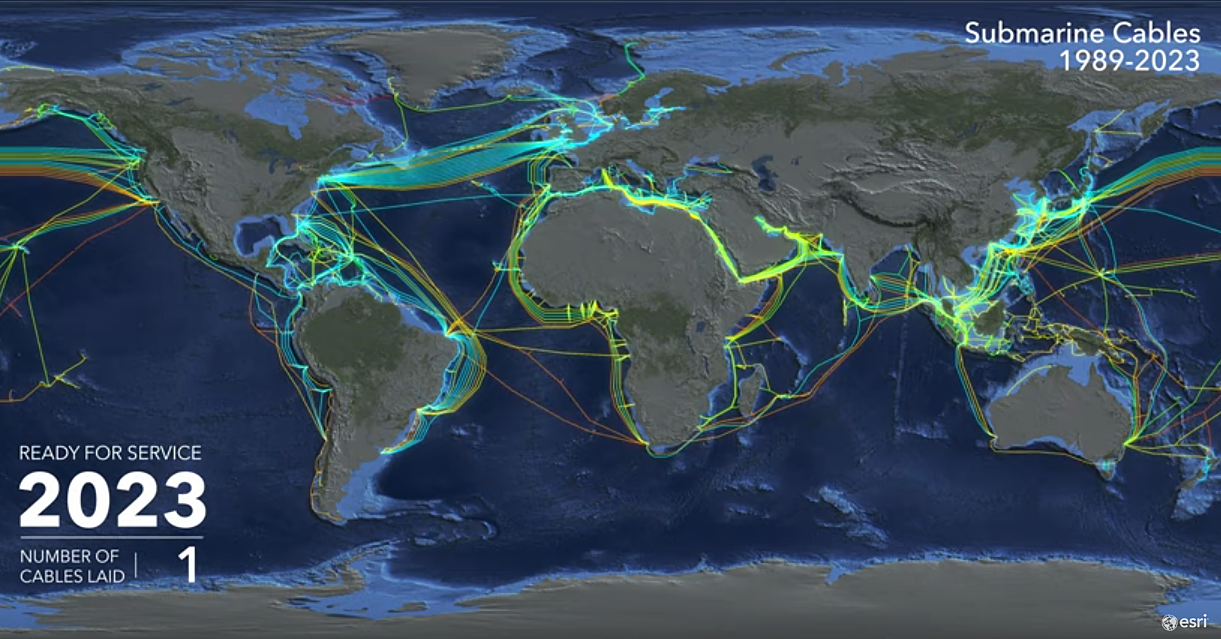
๐ŸŒ The Global Internet: Undersea Cables

  • You may wonder: How does my computer in India talk to a server in the US?
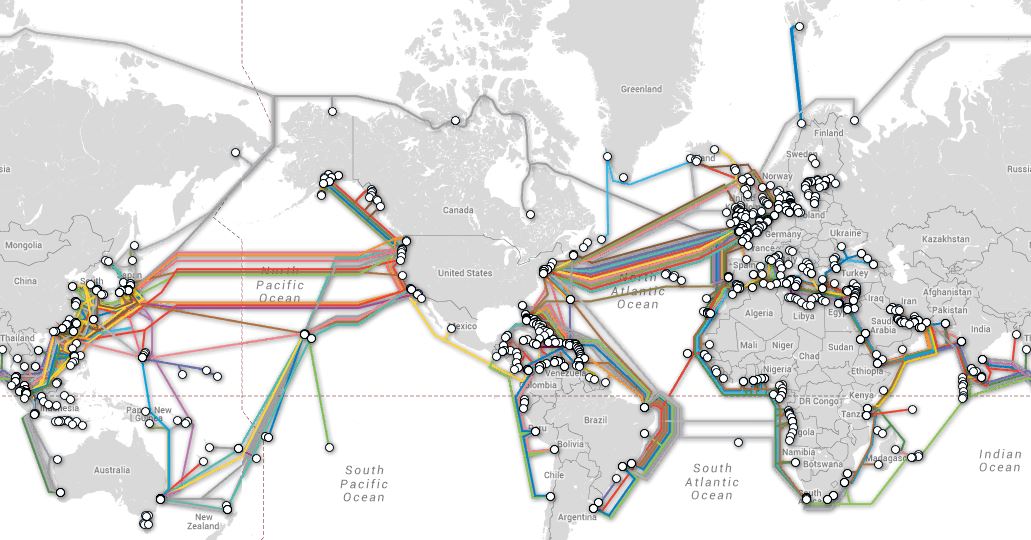
  • The answer lies in undersea cables, which are massive fiber optic cables laid on the ocean floor.

๐Ÿงต About Undersea Cables:

  • Connect continents across oceans.
  • Made of hundreds of strands of fiber optic glass, each strand thinner than a human hair.
  • Transmit data using light signals (lasers), allowing speeds up to 400 Gbps per fiber.

โœ… Resource:
Visit submarinecablemap.com to view all the undersea cables connecting different parts of the world.

๐Ÿ“ฌ What is an IP Address?

  • Every device connected to the Internet has a unique IP address (e.g., 192.168.1.1).
  • IP stands for Internet Protocol.
  • Itโ€™s like the postal code or street address of a device.
  • Required so that data knows where to go and come back from.

๐Ÿง  IPv4 vs IPv6:
Most IPs you see look like 192.0.2.1 (IPv4), but as we run out of those, newer ones look like 2001:0db8:85a3::8a2e:0370:7334 (IPv6).

โšก How Fast Is the Internet?

  • Data travels at nearly the speed of light through fiber optics.
  • Your click on a website button sends electronic signals across thousands of miles almost instantly โ€” and returns a response in milliseconds!

๐Ÿ“Œ Summary โ€” The Internet in a Nutshell:

ConceptSummary
InternetA massive system of interconnected computers via physical wires.
ClientThe device/user requesting data (your computer/phone).
ServerThe device responding with data (Google, Facebook servers, etc.).
ISPYour Internet provider who connects you to the Internet.
DNSThe phone book of the Internet โ€” translates domain names into IP addresses.
IP AddressA unique identifier (like an address) for each device on the Internet.
Undersea CablesMassive fiber optic cables that connect continents and carry global data traffic.

๐Ÿ’ก Final Thoughts

  • The Internet isnโ€™t magic โ€” itโ€™s a powerful combination of hardware and software working together.
  • It relies on decades of infrastructure, standard protocols (like TCP/IP), and amazing engineering.
  • Every Google search, video call, or tweet happens because your device is talking to another device somewhere in the world through these invisible pathways of light and electricity.

References